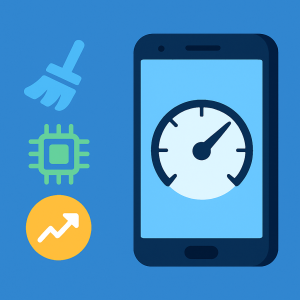
Over time, many users notice that their cell phone starts to slow down. This happens for several reasons, such as the accumulation of temporary files, too many applications running in the background, or even a lack of available memory. To solve these problems, the best solution is to install a good optimization application. In this article, you will find out Top 3 apps to make your phone faster, all free and available on the Play Store.
These apps are designed to improve the overall performance of your device, free up space, and make your daily use smoother. So if you want to download app that really makes a difference to your device, check out the best options now.
Why should I use an app to make my phone faster?
First of all, you need to understand that your phone’s slow speed doesn’t happen by chance. The system accumulates unnecessary data, residual files, and cache, which overloads the memory and compromises performance. In addition, many apps continue to run in the background without your knowledge.
Therefore, using a app to speed up cell phone has become a common practice. These applications clean up junk files, close heavy processes and optimize the system. Below, find out about the three best ones that stand out in the market.
1. Files by Google
Files by Google is one of the most efficient and reliable apps when it comes to freeing up space and speeding up your phone. It analyzes your device's storage and offers smart suggestions for deleting unnecessary files, such as cache, duplicate photos, old videos, and memes from messaging groups.
Additionally, Files is extremely lightweight and ad-free, providing a clean and fast experience. The app also allows for file transfers between devices without an internet connection, which can be useful for backups and data exchange.
If you're looking for a safe, straightforward, and effective app, Files by Google is an excellent choice. It's available for free download in the PlayStore, and is compatible with virtually all Android devices.
Files by Google
Android2. Nox Cleaner
Nox Cleaner is a powerful option for those who want to speed up their phone with just one tap. The app offers cache cleaning, residual file removal, built-in antivirus, and CPU cooling function. All of this helps improve the speed of your device in just a few seconds.
One of the great features of Nox Cleaner is the “Game Booster” mode, which frees up memory before starting heavy games, ensuring smoother performance. In addition, the look is modern and easy to use, with animations that show exactly what is being cleaned.
Available for free on the Play Store, Nox Cleaner is ideal for anyone who needs a slow mobile app that solves several problems at the same time.

Nox Cleaner
Android3. CCleaner: app to make your phone faster
CCleaner is a classic app that also has a version for Android. Developed by the same company that created the famous computer cleaner, it performs quick system analyses and identifies everything that can be safely deleted.
With CCleaner, you can clear cache, installation files, and data from uninstalled apps, and free up RAM. The app also provides detailed graphs and reports on memory and CPU usage, which is great for those who like to monitor performance.
Additionally, CCleaner helps you uninstall apps that are consuming space or resources in the background. It is free to download and has an interface entirely in Portuguese. Without a doubt, it is one of the best apps to optimize Android cell phone.

CCleaner – Phone Cleaner
AndroidApp features to make your phone faster
The three applications listed in this Top 3 apps to make your phone faster share some features that make all the difference in everyday life. Among the most relevant features are:
Clearing cache and residual files
RAM memory optimization
Closing background apps
CPU and Storage Usage Dashboard
Smart cleaning recommendations
Compatibility with most devices
Simple interface in Portuguese
Free Download directly on the Play Store
These features help keep your phone faster, freeing up space so you can install new apps, take more photos, or simply avoid crashes.
When should I use an optimization app?
Whenever your phone starts to slow down, crash or have difficulty opening apps, it's time to use a cleaning and speed-up app. Ideally, you should clean it at least once a week, especially if your device has little storage.
It’s also important to use these apps before gaming or recording videos, as they free up memory and improve performance during heavy tasks. And of course, whenever you install new apps, it’s a good idea to run a scan with your favorite cleaner to free up space.
Conclusion
In short, using a good app is the best way to keep your Android fast and functional. With this Top 3 apps to make your phone faster, you have complete and free solutions at your disposal that make all the difference in daily use.
Files by Google is ideal for those looking for simplicity and efficiency. Nox Cleaner offers advanced features and modern visuals. Finally, CCleaner offers detailed analytics and proven reliability. All are available on the Play Store at free download.
So choose your favorite, download now and feel the difference in your cell phone's performance.
Before deciding, check these points.
- What the app actually does. Compare the description on the store page with recent reviews. The difference between the two often reveals what the advertisement omits.
- It works offline. If the task is local, requiring a connection means that your data is being sent to a server.
- Last updated and supported. An application without a recent update tends to break with the next system version.
- Billing model. Check if it's free with ads, pay-per-view, or subscription-based — and the price range for in-app purchases.
What these apps don't do
Every category has a limit, and knowing this one's limit saves time and money by avoiding those who promise more than what's available.
- They can't do what the device's hardware doesn't allow. A feature without a corresponding sensor doesn't exist in software.
- The free version often limits exports, applies a watermark, or restricts the number of uses per day.
- A high rating in the store doesn't guarantee quality: it's worth reading recent, negative reviews.
- An app that promises impossible results usually exists only to display advertising.
Frequently Asked Questions
Is the app free?
Generally, the download is limited or may include advertising. Check the price range for in-app purchases on the store page.
Does it take up a lot of space?
The size appears in the store, but it increases with use due to caching. Clearing the cache frees up space without losing settings.
Is there a native alternative?
It's worth checking out. Android and iOS come with several ready-made functions that eliminate the need to install another app.
Does it consume a lot of battery?
Check the usage per app in the settings and restrict background activity for any that are high.
Does it work without internet?
It depends: those that process on the device work offline; those that depend on a server require an internet connection.
How to truly take advantage of it.
- Move photos and videos to the cloud. After confirming the backup, release the local copy. It usually returns several gigabytes.
- Clear the cache of larger applications. You can do it app by app in the settings, without installing anything, and without losing your login or settings.
- Restart before concluding that it's slow. Much of the slowness disappears with a restart, without needing any application.
- Uninstall anything that hasn't opened in months. The list by usage time is in the settings. It's the most lasting way to save space.
Common mistakes that are costly
- Granting accessibility permission to a utility that doesn't need it.
- Install three utilities that do the same thing, all running in the background.
- Deleting an application folder through the file manager can result in lost data that cannot be recovered.
- Installing a cleaner that promises to speed up your phone — Android already manages memory on its own, and the gains don't last.
Before installing: what's already on the device
Android and iPhone already include features like a flashlight, voice recorder, document scanning, QR code reader, ruler, compass, level, and screen recording. Before installing, it's worth checking the settings – many people install what they already have.