Before the list, what the law says: in Brazil, it is prohibited to use devices that detect or interfere with the operation of speed cameras. What is allowed are navigation apps that warn about fixed speed cameras already marked on the road, such as Waze and Google Maps — their function is to keep the driver aware of the speed limit for the stretch of road, not to help ignore enforcement. Respecting the speed limit is what avoids fines and, most importantly, accidents.
With the increase in the number of speed cameras in cities and on highways, many drivers are looking for practical solutions to drive more attentively and safely. In this scenario, using a app to detect traffic radar It has become essential. In addition to helping maintain attention on the road, these apps also encourage more mindful driving.
In addition, the apps that warn about speed cameras and speed limits work in real time and are constantly updated by other users. This ensures greater accuracy and reliability, whether in urban environments or on highways. With this in mind, we have selected the 3 best apps to detect speed cameras.
How do radar detection apps work?
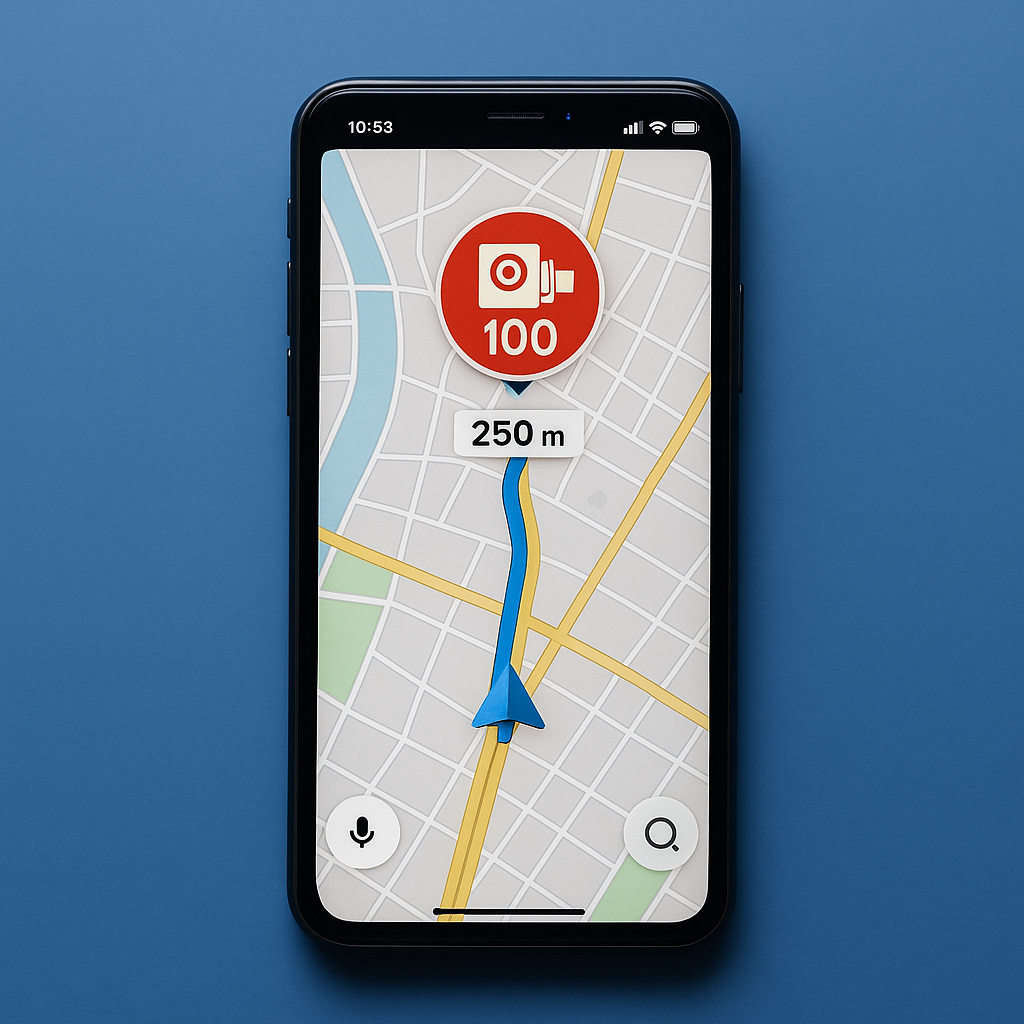
First, it's important to understand how these apps operate. applications to identify radars use GPS data to show the exact location of enforcement equipment. This way, they can display visual and audible alerts whenever you are approaching a fixed or mobile radar.
In addition, many of these apps rely on the collaboration of drivers, who feed the database in real time. This means that real-time radar alerts are reliable and constantly updated. Therefore, they are excellent tools for those who drive frequently.
What are the advantages of using a radar app?
Use a mobile radar app brings several advantages. Firstly, it prevents speeding tickets. In other words, you save money and points on your license. In addition, these apps contribute to more attentive and safe driving.
This way, you can plan your routes better, avoid unexpected events and drive more responsibly. Another benefit is that many apps are free and work even in the background, with little battery and mobile data consumption.
Now, check out the 3 best apps for detecting traffic radars and see which one best suits your profile.
1. Waze
O Waze is one of the most popular navigation apps in the world and, in addition to indicating routes, it also works as a free radar alert app. Waze's unique feature is its active community, which constantly updates information about traffic and speed cameras.
So when you drive with Waze, you receive audio and visual warnings whenever you approach a fixed or mobile speed camera. In addition, it also alerts you to traffic jams, accidents and obstacles on the road.

Waze Navigation & Live Traffic
AndroidThe app is free, easy to use, and available for Android and iOS. Without a doubt, it's one of the most comprehensive tools for drivers who want to respect speed limits and deal with unexpected situations on the road.
2. Radarbot: App to detect traffic cameras
O Radarbot is one of the most accurate apps when it comes to GPS radar detector. It has a global database with locations of fixed, mobile, red light, tunnel and other speed cameras. The app offers audio and visual alerts and is highly customizable.
Additionally, Radarbot allows you to create routes and offers integration with other navigation apps. Even without internet, the app continues to work with the saved data, which is ideal for long trips.
Another advantage is that it has a specific mode for motorcyclists and professional drivers, further increasing its usefulness. The free version is already quite complete, but there is also a premium version with additional features.

Radarbot Speed Camera Detector
Android3. CamSam
O CamSam is an excellent alternative for those who want a application to detect traffic radar light and to the point. It shows nearby speed cameras based on your current location and issues clear, real-time alerts.
The app also offers a simple and objective interface, ideal for those who want practicality. In addition, its database is automatically updated every five minutes, ensuring the accuracy of alerts.
Another highlight of CamSam is that it works in the background, which means you can use it alongside other browsing apps without any issues.

CamSam - Speed Camera Alerts
AndroidDoes the app to detect traffic radar work with the internet and also offline?
Most of the traffic apps with radar works online, but some offer offline support for fixed radars. This means that even without a connection, they can still alert you to some inspection points.
However, to obtain real-time radar alerts, you need to be connected to the internet. This way, the app can capture information from the community and send instant notifications about new speed cameras or changes to the roads.
Are apps to detect traffic radars permitted by law?
A common question is about the legality of using these apps. In Brazil, so far, There is no legislation prohibiting the use of apps to detect speed cameras. In other words, it is permitted to use them while driving, as long as this does not divert the driver's attention.
Therefore, the ideal is to leave your cell phone fixed to the dashboard with the app open, or even use voice alerts so you don't take your eyes off the road. Safety comes first!
Conclusion
In short, using a app to detect traffic radar It's a smart way to drive with more peace of mind, safety and responsibility. With so many reliable options available, there's no reason to be caught off guard during an inspection.
Applications like Waze, Radarbot and CamSam stand out for offering accurate data, real-time alerts and accessible interfaces. In addition, they all have free versions and work very well in both urban areas and on highways.
So pick your favorite, do the download right now in Play Store, Drive more responsibly. Respecting the speed limit and keeping your license clean has never been easier!
How to truly take advantage of it.
- Check what the app asks for during installation. Compare the permissions with what it actually does. It's the quickest test of trustworthiness.
- Check if it works offline. If the task is local but still requires a connection, your data is being sent to a server.
- Try the free version before you pay. Check if the feature you want is outside the free plan—it usually is.
- Review your consumption after one week. In the settings, view battery and data usage by app and restrict any that are high.
Common mistakes that are costly
- Ignore the fact that the free version limits exports or applies a watermark.
- Choosing based on average rating without reading recent negative reviews.
- Believing in a feature that the device's hardware does not support.
- Installing multiple applications that do the same thing, all running in the background.
What the cell phone itself already does.
It's worth opening the search in your phone's settings before installing: Android and iPhone already have several built-in functions, and the native app usually consumes less battery and doesn't ask for any permissions beyond what's necessary.